Please follow the following steps to connect your Xero Account with Fiscal Harmony for Fiscalisation.
Step 1
- Click the link Fiscal Harmony Signup
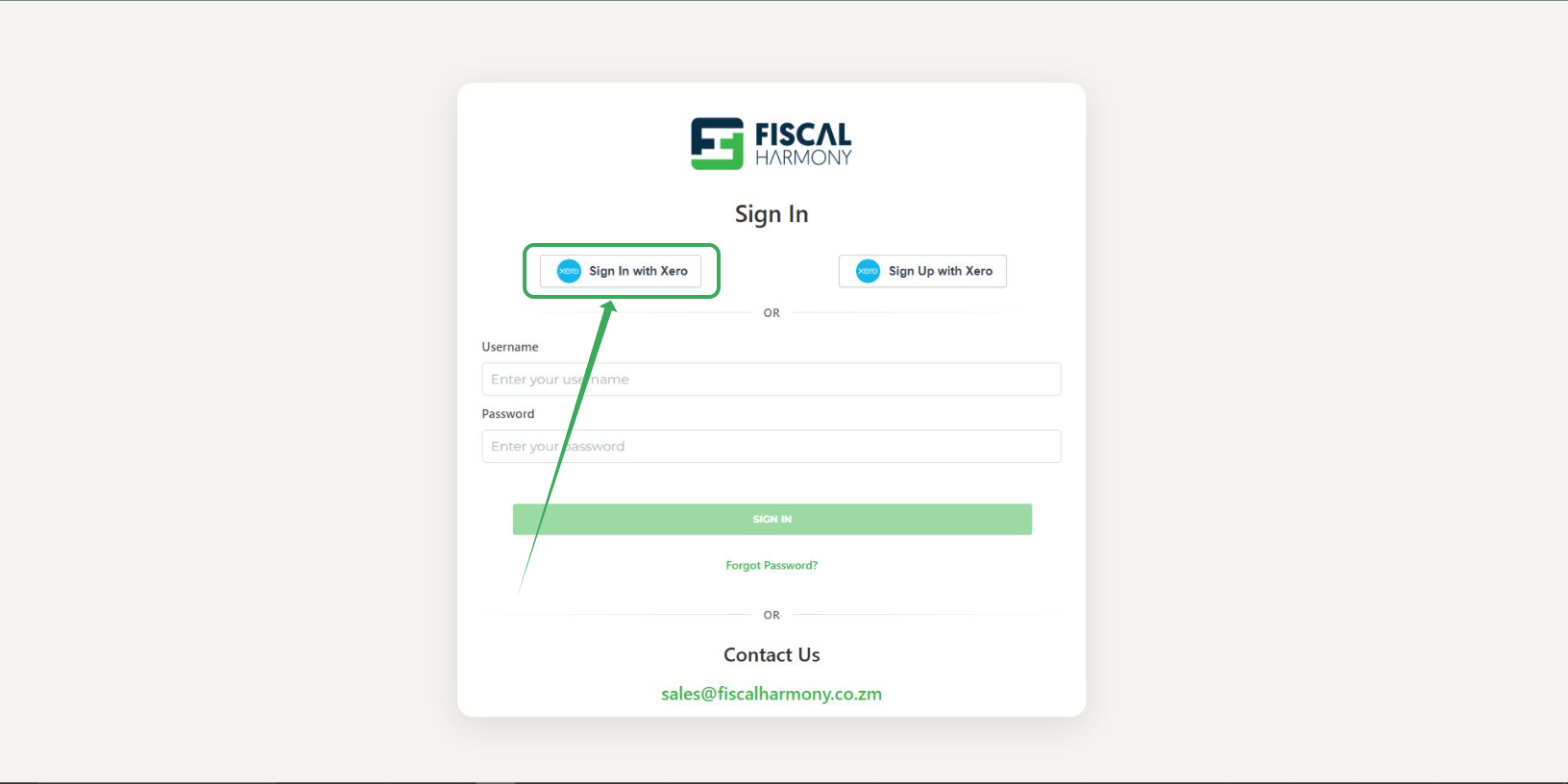
- Click the "Sign in with Xero" button.
Step 2
- Login to Xero and allow fiscal Harmony to access to your Xero.
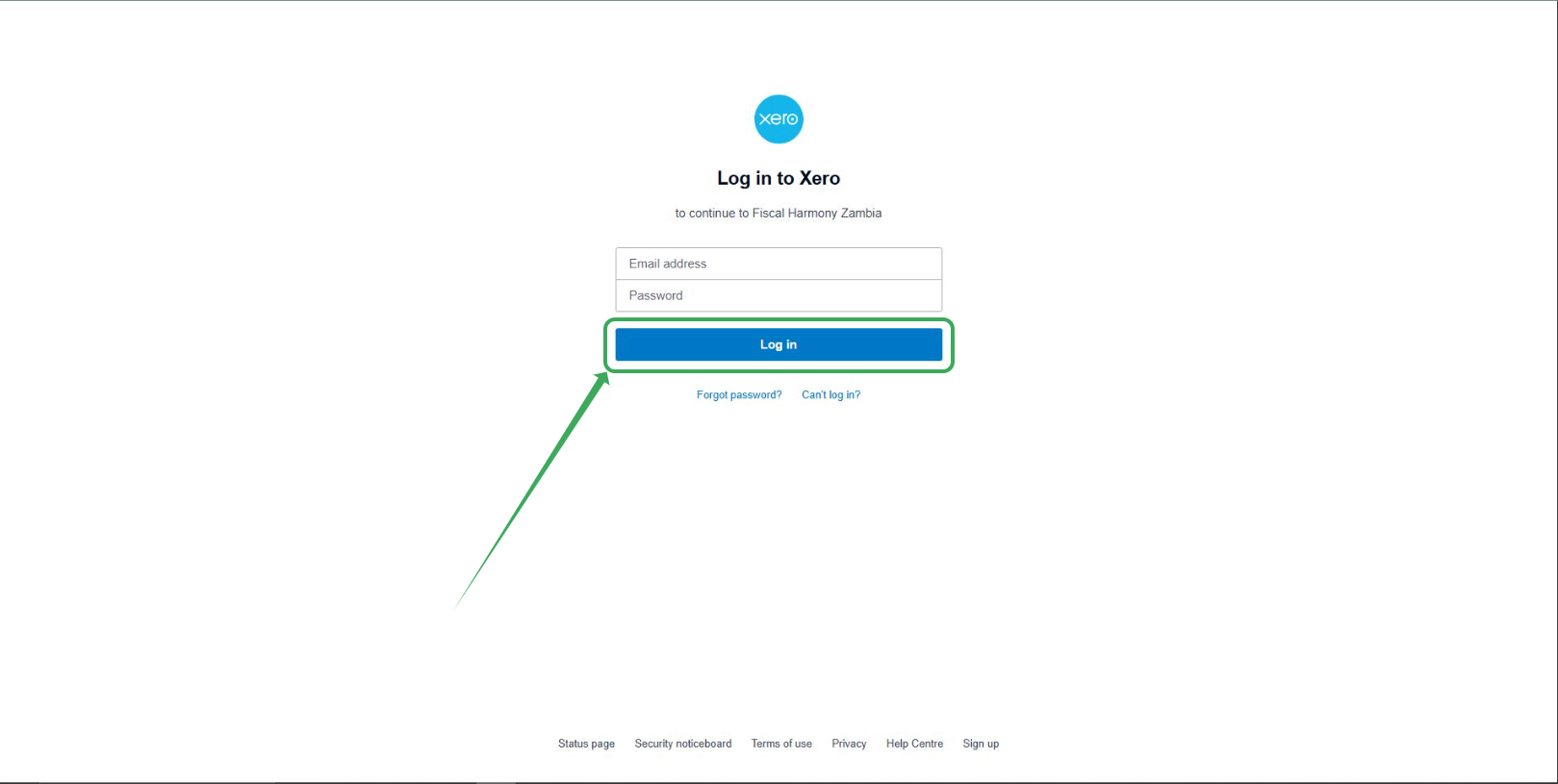
- Enter your Xero account credentials and click the "Login" button.
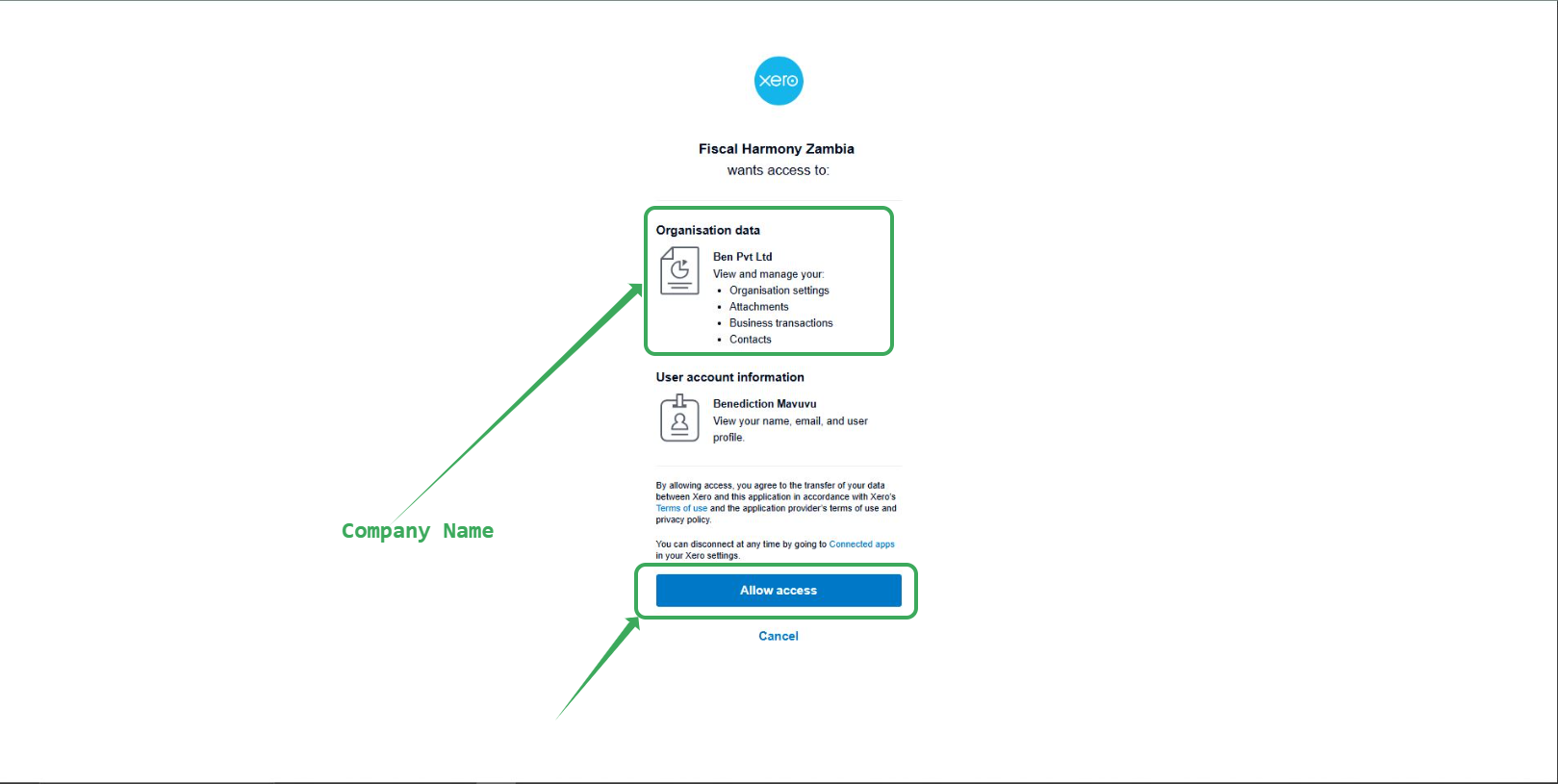
- Make sure you select the correct Company name.
- Click the "Allow Access" button to give Fiscal Harmony access to your Xero account.
Step 3
Inputting your company name
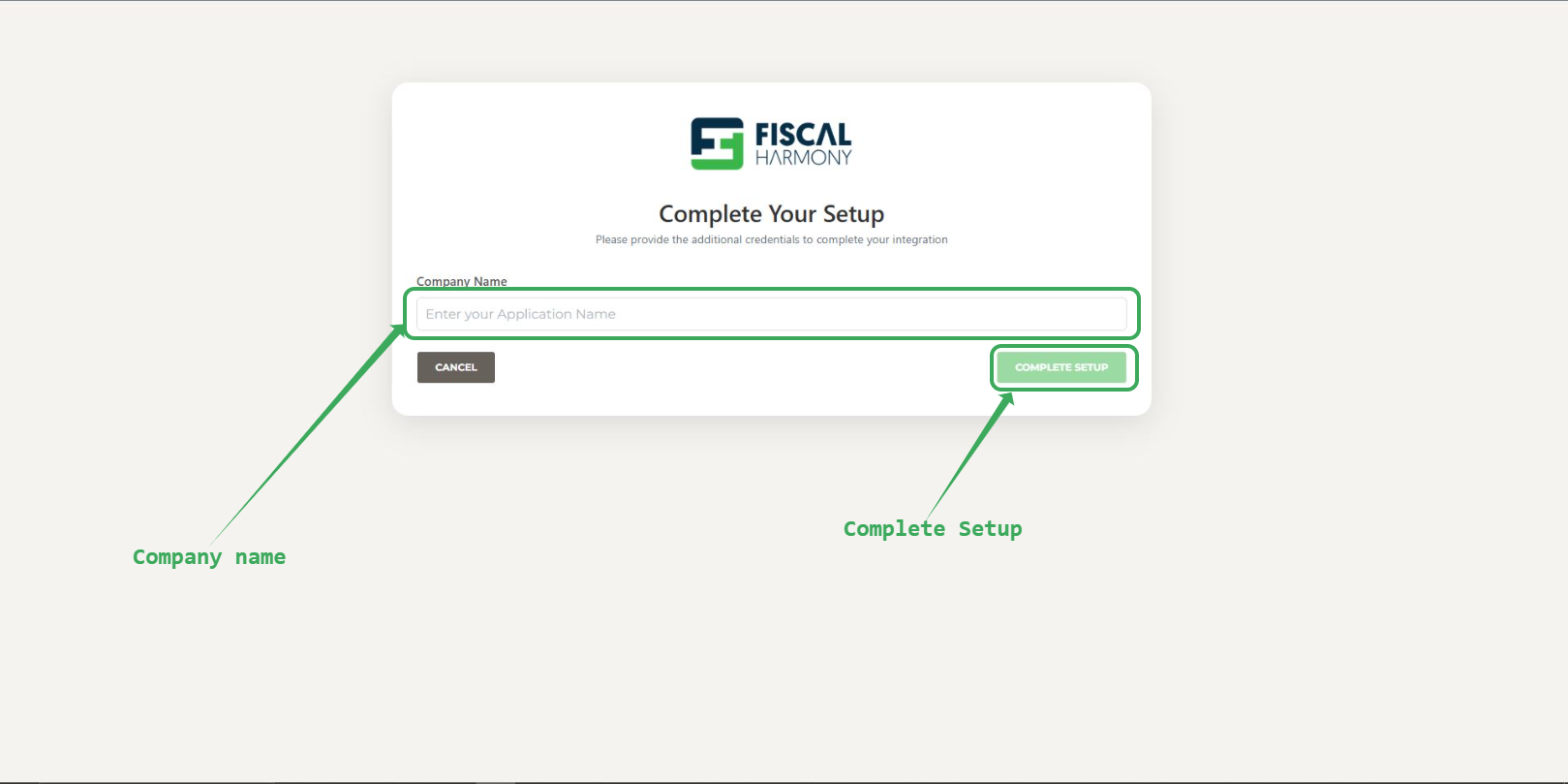
- Enter your company name.
- Click "complete setup" button.
Device Account Setup complete!,
NB: Please wait for your device to be approved by Fiscal Harmony.
Dashboard after Device approval
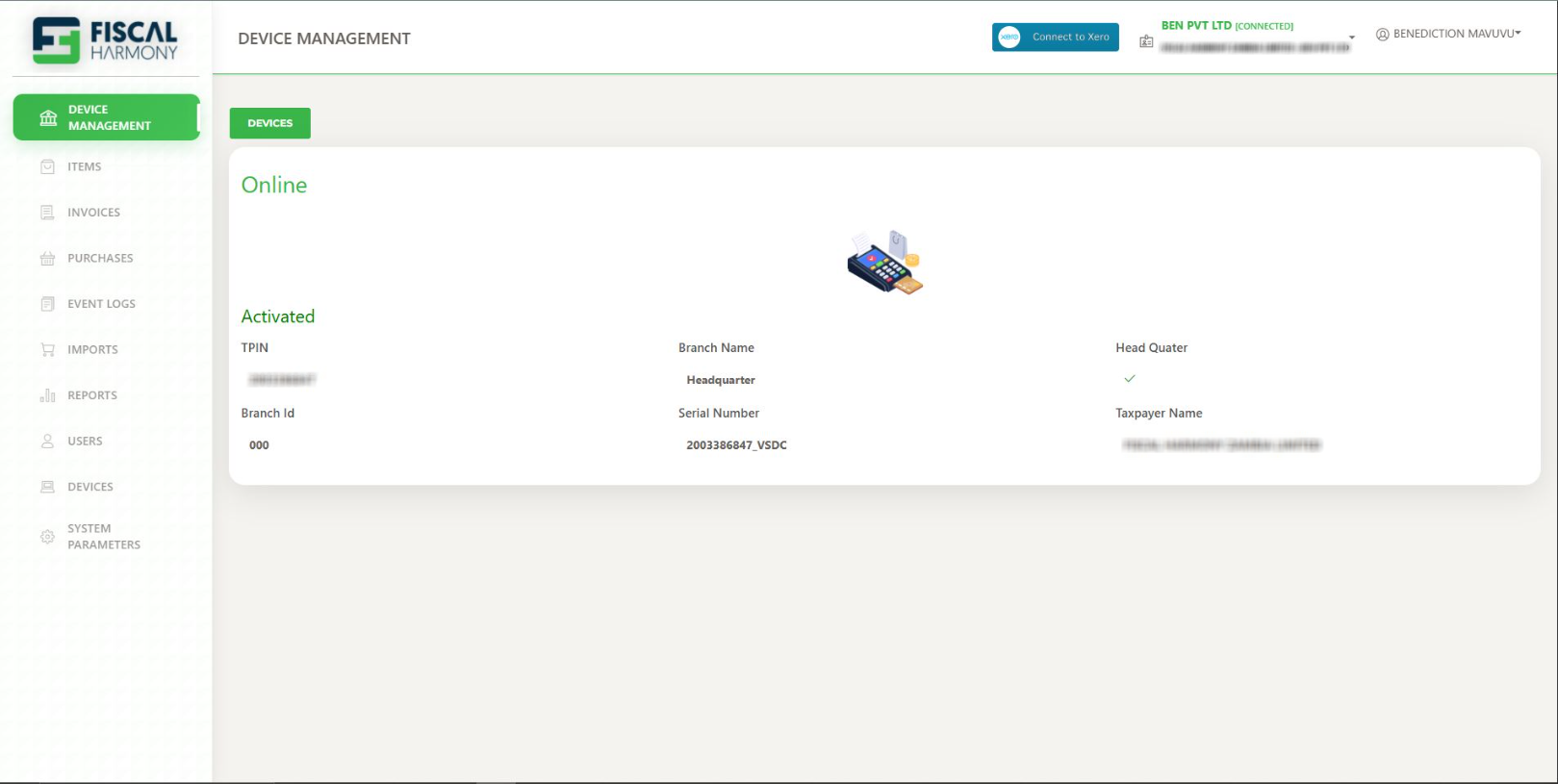
After device approval, your dashboard will look like the one above and you are now able to start pushing invoices for Fiscalisation.
Fiscalisation Setup Complete!,
Was this article helpful?
That’s Great!
Thank you for your feedback
Sorry! We couldn't be helpful
Thank you for your feedback
Feedback sent
We appreciate your effort and will try to fix the article